
The meme lands because printers are the one piece of household tech that got more hostile to its owners while everything around it got smarter. An inkless portable printer escapes the worst of it: no cartridges, no ink subscription, no firmware deciding whose ink you may use. It does not escape consumables, and it is not a replacement for a home printer.
This article is built from the Amazon listing for the Gloryang inkless portable printer, ASIN B0CYP944DP, from reporting on the HP court cases, and from HP’s own public statements. We have not printed on the Gloryang, so it carries no score. All listing figures were checked on 22 September 2026. See how we work.
Why you can trust us. Tools Soko earns a commission when you buy through links on this page. It never changes what we recommend, and it never changes the price you pay. As an Amazon Associate we earn from qualifying purchases.
Why the “printers stuck in 1999” meme landed
The joke doing the rounds on X borrows the old Toy Story template: Buzz Lightyear, arm flung wide, showing Woody the horizon. The caption says AI is everywhere. The punchline is that printers are still stuck in 1999.
It works because everyone has lived it. Your phone can summarise a meeting, translate a menu and write a birthday message, and the machine in the corner still cannot print a boarding pass without first announcing that a cartridge it installed itself is unrecognised.
But the meme is slightly unfair to 1999. Printers in 1999 did not check whose ink you had bought. The hardware has barely moved since then. What moved was the business model wrapped around it.
It is not the hardware. It is the ink.
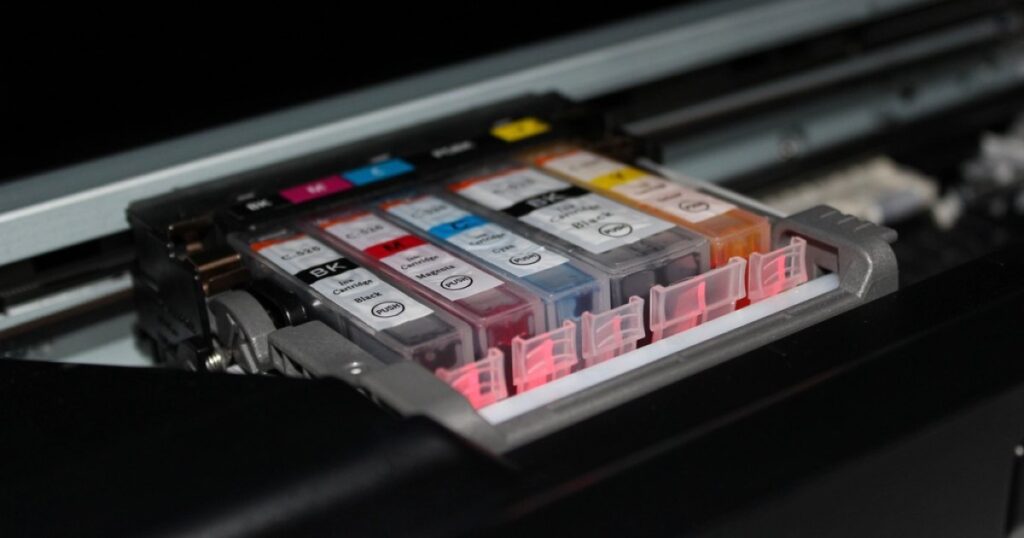
Home inkjets are sold the way razors used to be. The printer is cheap because the cartridges are not, and the maker earns its money over the years the machine sits on your desk.
HP has said this out loud. In a January 2024 CNBC interview, chief executive Enrique Lores described every printer sold as an investment in a customer, one that becomes a “bad investment” if that customer does not print enough or does not buy HP supplies. He also said the company’s long-term goal was to make printing a subscription.
That is the context for the complaint that keeps coming back in every printer thread.
HP’s Instant Ink subscription program and firmware updates that disable third-party cartridges have fueled years of lawsuits and consumer anger. The company has faced claims that it exploits users who already own the hardware by limiting their choices.
In the same discussion on X, one user pointed out that HP had pushed a driver patch through Windows Update, apparently to crack down on what it saw as unauthorized printing.
What is actually on the record
Some of that anger is documented, and some of it has grown in the retelling. The difference matters, so here is what we could confirm.
- Dynamic Security. HP firmware updates distributed in late 2022 and early 2023 stopped some printers working with non-HP cartridges, including refilled ones that had worked the day before. A class action over it settled, and a federal judge approved the settlement in March 2025. HP admitted no wrongdoing. The three named plaintiffs received $5,000 each, and owners of 21 printer models gained the option to decline those firmware updates or roll them back. The wider class received no money.
- A second case is still running. An antitrust class action filed in Illinois in January 2024 alleges HP used the same 2022 to 2023 updates to monopolise the market for replacement cartridges.
- Instant Ink cartridges stop when the subscription does. Instant Ink cartridges are tied to an active plan. Cancel, and HP disables them remotely at the end of the billing cycle, which is why people who cancel find a printer full of ink that will not print.
- The Windows Update story needs a qualifier. We could not confirm a patch pushed through Windows Update to block unauthorised printing. What is documented is different: in December 2023, faulty HP printer metadata distributed through Windows Update renamed people’s printers, whatever the brand, to HP LaserJet M101 to M106 and installed the HP Smart app unasked. Microsoft confirmed the bug, pulled the metadata and said HP was not to blame. It looked like a land grab. It was, on the record, a mistake. It still tells you how much a printer can change without its owner’s say.
None of this is unique to HP in spirit, but HP is the company that has been most explicit about it. The pattern it describes is a device that serves its maker’s revenue before its owner’s convenience. We have written about the same pattern in smart televisions.
What an inkless portable printer does differently
A thermal printer has no ink at all. The paper is coated with a chemical layer that darkens where the print head heats it, which is how shop receipts are made. There is no cartridge to recognise, no ink to dry out in the nozzles between uses, no ribbon, no toner.
That removes the three things people hate most about home printers in one move. There is nothing for a firmware update to reject. There is nothing to subscribe to. And there is nothing to clog, which matters more than it sounds: the inkjet that sits unused for a month and then prints streaks is the most common printer grievance of all.
What you give up is colour and permanence. Thermal printing is black only, and the print does not last the way ink does. Both are covered below, because they decide whether this is the right machine for you.
Gloryang inkless portable printer: key specifications
| Brand / model | Gloryang PD-A4 |
| Amazon ASIN | B0CYP944DP (black) |
| Print technology | Direct thermal, monochrome, no ink, toner or ribbon |
| Resolution | 203 × 203 dpi (one listing field also says 300 × 300) |
| Paper | US Letter thermal, 8.5 × 11 in; prints widths from 2 to 8.5 in |
| Paper compatibility | “Only compatible with Gloryang thermal paper”, per the listing |
| Connection | Bluetooth to iOS and Android through the Jadens Printer app; laptops and PCs through a driver |
| Weight | 1.75 lb (listing copy); 3.1 lb (listing specification table) |
| Thickness | 1.7 in |
| Battery | Up to 360 sheets per charge, per the listing |
| In the box | Printer, 3 paper rolls (1 fitted, 2 spare), carry case, USB charging cable, manual, guide card |
| Warranty | 1 year |
| Owner rating | 4.2 / 5 across 4,516 ratings, checked 22 September 2026 |
| Price | Not quoted; check the listing |
One listing figure is best ignored: a claimed speed of 35 pages per minute. That is office-laser territory, and it is not a credible number for a battery-powered portable thermal printer. Plan on a page at a time.
The catch: you swap cartridges for paper
Here is the part the “inkless” label glosses over. Gloryang’s own listing says the printer is only compatible with Gloryang thermal paper. The consumable has not disappeared. It has moved from the cartridge to the roll.
That is not the same as HP’s situation, and it is worth being fair about why. Thermal paper is a commodity in a way inkjet cartridges are not, several brands sell letter-size rolls, and there is no evidence of a firmware lock on this printer. But whether another brand’s rolls feed cleanly, Gloryang does not say, and its own listing tells you not to try.
So do the sum before you buy, not after. Price a refill pack of the paper, work out what a page costs you, and compare it with what you pay per page now. The paper is your cartridge.
Thermal prints fade, so choose what you print
Thermal print is not permanent. Paper makers generally put the readable life of standard thermal paper at around six months to two years in good storage, and heat, sunlight, moisture, skin oils and friction all shorten it. Archival-grade thermal paper does better, though still not in years the way laser print does.
The practical rule is simple. Print what you need today: a boarding pass, a form to sign, a contract to take to a meeting, a map, a to-do list. Scan anything you need to keep. Do not use thermal paper for records, certificates or anything you might have to produce years from now.
There is also a chemistry question. The colour developer in thermal paper has traditionally been BPA or its close relative BPS. The listing does not say which developer Gloryang’s paper uses, so look for rolls labelled BPA-free if you will be handling prints all day.
Who an inkless portable printer suits
Travellers and people who work on the road. Something that weighs well under two pounds, runs on a battery and fits in a laptop bag will print a signed form or a document in a hotel, a car or a client’s office with no socket and no Wi-Fi setup.
Occasional printers who are tired of dried-out ink. If you print a few pages a month, an inkjet spends most of its life drying out between jobs. A thermal printer has nothing to dry out.
Students and field workers who print short-lived documents, checklists and reference sheets, and who value never being blocked by a cartridge error at the worst moment.
Who should keep an ink printer, or buy a laser
Anyone who prints in colour or prints photos. Thermal is black only.
Anyone printing records they must keep. Tax papers, legal documents and certificates belong on paper that will still be legible in ten years.
Anyone who prints a lot of text at home. This is where most people escaping ink should actually land: a monochrome laser printer. Toner does not dry out, a cartridge lasts thousands of pages, and the print is permanent. It will not fit in a bag, but for a home office it is the honest answer to the printer meme, and it costs you no paper lock-in at all.
Tools Soko verdict
No score, because we have not printed on it. What the listing supports is a clear, narrow case. The Gloryang removes every part of printing that the meme is about: no cartridges, no subscription, no firmware deciding whose ink you may use, and nothing to clog between jobs. It does that in a battery-powered package light enough to carry every day.
It does not remove consumables, it prints in black only, and its prints fade. Treat it as a portable tool for documents you need now, not as the printer that replaces the one at home.
Buy it if you print on the move. Buy a mono laser if you print a lot at home. Either way, you stop paying the ink tax.
Before you check out, price a refill pack of the paper. That is the running cost, and it is the one number the listing does not put in front of you.
Frequently asked questions
How does an inkless printer work?
It prints by heat. The paper carries a chemical coating that turns dark where the print head warms it, the same way a shop receipt is printed. There is no ink, toner or ribbon, so there is no cartridge to buy, dry out or be rejected by a firmware update.
Does an inkless printer need special paper?
Yes. It needs thermal paper, and the Gloryang listing says it is only compatible with Gloryang’s own thermal paper. The consumable moves from the cartridge to the paper roll, so price refills before you buy.
Do thermal prints fade?
Yes. Standard thermal paper is generally readable for around six months to two years in good storage, and heat, sunlight, moisture and handling shorten that. Use it for documents you need now, and scan anything you must keep.
Can the Gloryang print in colour or print photos?
No. Thermal printing is black only, at 203 dpi according to the listing. It will print images and drawings in monochrome, but it is not a photo printer.
Does it work with a laptop, or only a phone?
Both, per the listing. Phones and tablets on iOS and Android connect over Bluetooth through the Jadens Printer app. Laptops and PCs work once you install the driver, with the printer switched on first.
Did HP really disable third-party ink with a firmware update?
Yes. HP firmware updates in late 2022 and early 2023 stopped some printers working with non-HP cartridges. A class action over it settled in 2025 without HP admitting wrongdoing, and owners of 21 models can now decline those updates. A separate antitrust case filed in January 2024 is still running.
What happens to HP Instant Ink cartridges if I cancel?
They stop working. Instant Ink cartridges are tied to an active subscription, and HP disables them remotely at the end of your billing cycle. You then need standard HP cartridges to keep printing.
Is a portable thermal printer better than a laser printer?
For different jobs. A portable thermal printer is for printing on the move with nothing to refill but paper. A monochrome laser is the better choice for printing a lot of text at home, because toner does not dry out and the print is permanent.
More on devices that serve their maker before their owner in our LG smart TV investigation and our guide to taking a smart TV offline. More gadgets in Gadgets & Tech.